Multiple Claude Code and Codex accounts
Keep work and personal accounts separate.
Connect separate Claude Code or Codex accounts and deliberately choose the account for a task. Each provider account keeps its own subscription and limits.
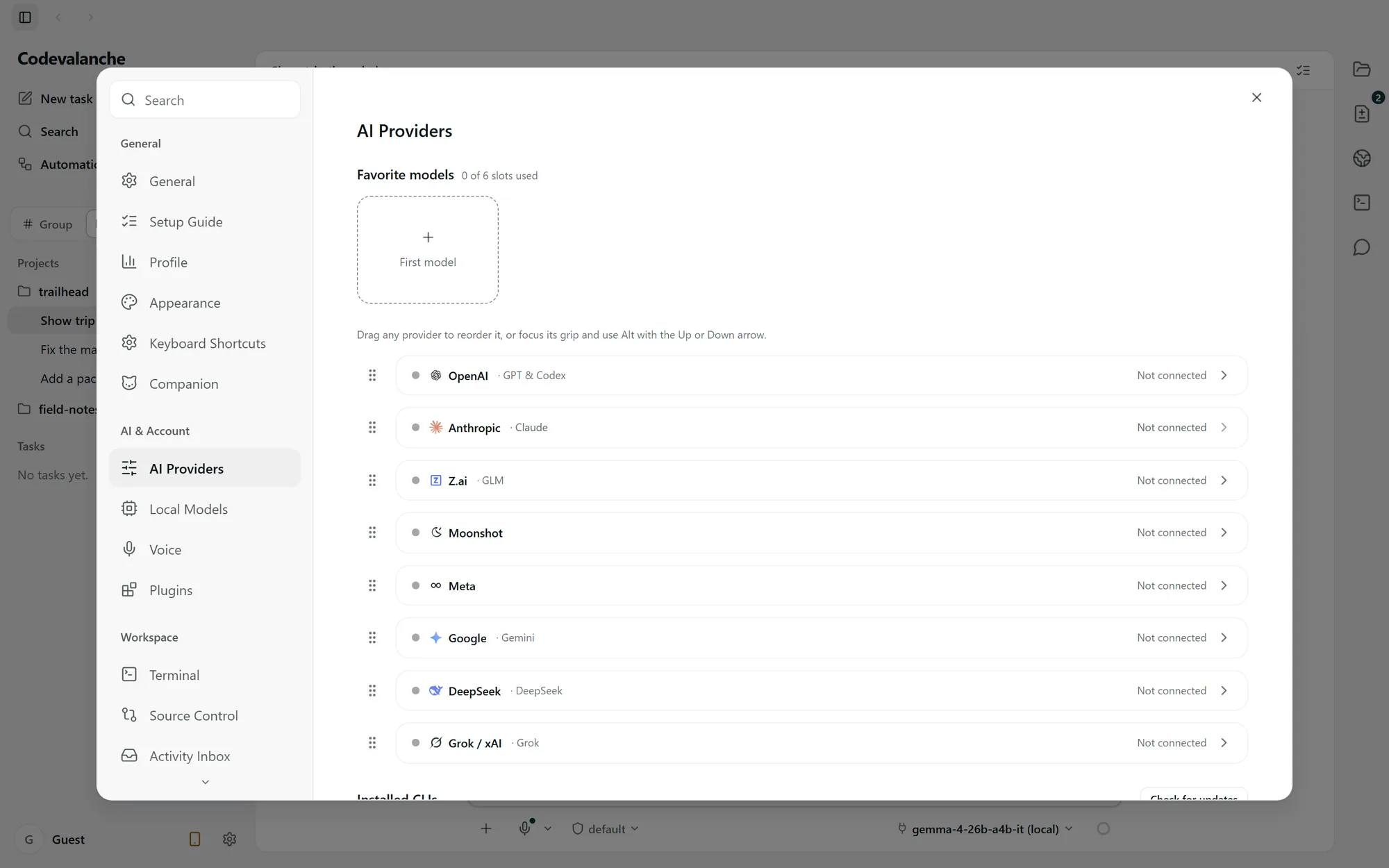
Two kinds of account.
- Your Codevalanche website account
- Used for the website’s account service. Signing in here does not authenticate Claude Code or Codex.
- Your provider accounts
- Connected in the desktop app for the supported agent. Separate account configuration lets you keep work and personal sign-ins distinct.
Connection limits apply. Check the available capacity and connection status in your installed build before adding another account.
Make the account choice explicit.
Complete each connection
Open the provider in AI Providers and complete its sign-in flow. A started or unfinished sign-in is not a usable connection.
Check the account for the task
Select Claude Code or Codex and the intended connected account before starting the run. Check the displayed identity, especially when moving between work and personal projects.
Respond to a provider limit
Read the provider’s status and decide how to continue. Accounts do not automatically cycle, and their quotas are not pooled.
Before switching accounts.
Does another provider have the same account controls?
Multiple-account support described here applies to Claude Code and Codex. Other integrations have their own setup and authentication behavior.
What if a connection still looks unfinished?
Return to the provider’s sign-in flow, complete it and check the connection again. Do not share tokens or credentials when contacting support.
Connection requirements and setup