Getting started
Start with one small change.
A practical first task: connect an agent or local model, open an example project and inspect a narrow change from request to result.
Your first task.
Check release status
Codevalanche targets Windows. Check the release page for a qualified installer and its supported architecture before installing. If none is available, use the walkthrough to inspect the product.
Windows release statusInstall and connect
When a qualified build is available, use its approved download and release instructions. Connect your own supported agent account or configure a compatible local runtime.
Open an example project
Use a disposable project or a repository with a clean starting point. Check the selected account, model and permission mode.
Write a narrow request
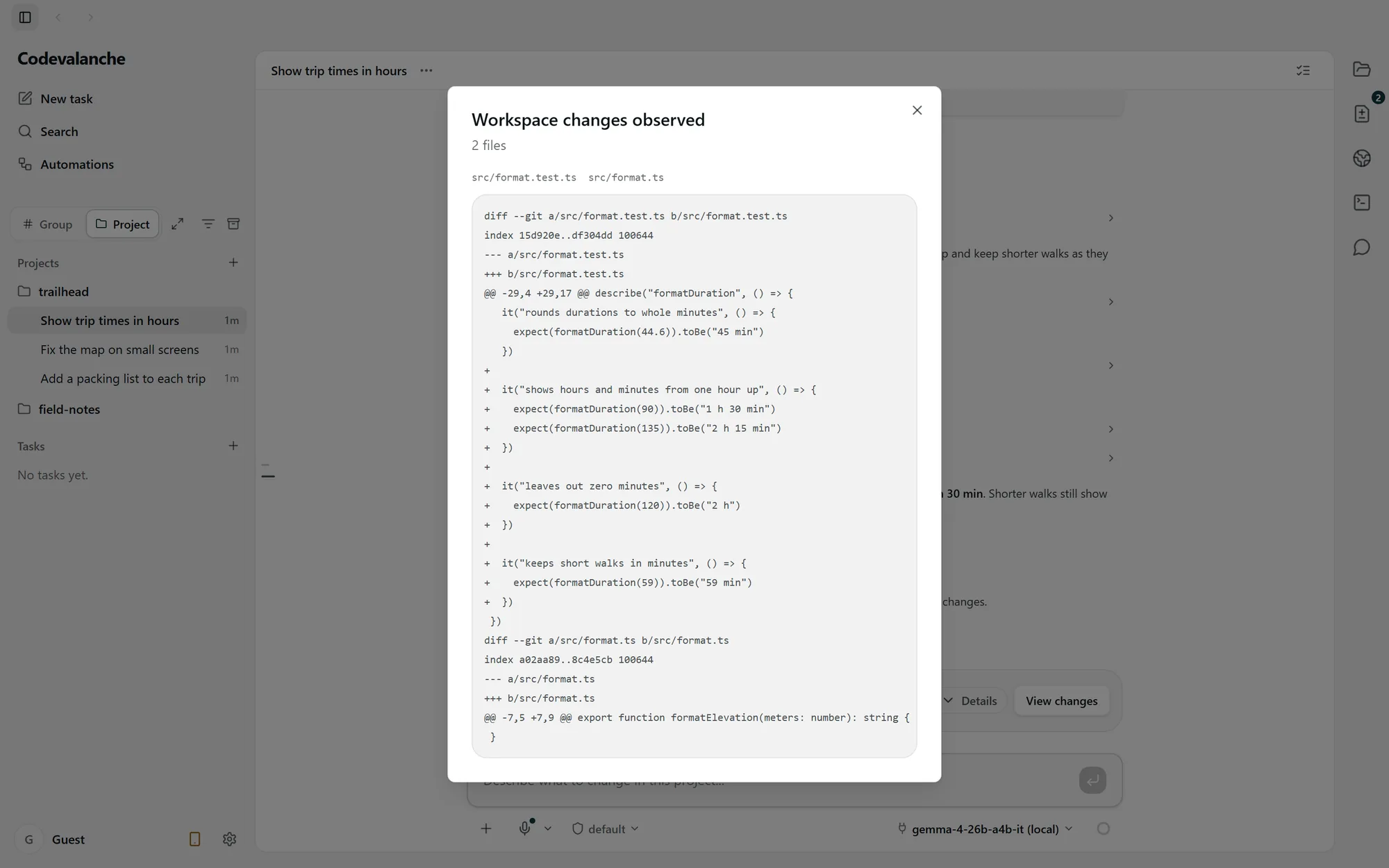
Describe the current behavior, the change you want and how to check it. The walkthrough uses trip durations: show 90 minutes as 1 h 30 min and add tests.
Follow the task
Read progress, answer requests for input and inspect any permission request. Approval applies to the operation shown; keep checking the changes.
Read the diff and test
Inspect each changed file, run the relevant project checks and verify the requested behavior. Treat the assistant’s summary as guidance to verify.
Resolve the setup state you see.
- External runtime missing
- Claude Code, Gemini CLI and ZCode require an external installation. Install the appropriate runtime and check detection in the app.
- Provider sign-in incomplete
- Finish the provider’s authentication flow and check connection status. Website sign-in does not connect an agent account.
- Provider limit reached
- Read the provider’s message and account limits. Account quotas are separate; switching or handoff is an explicit decision.
- Local server connection failed
- Check server reachability, the loaded model and the configured endpoint. Then check memory and model compatibility.
- Waiting for approval
- Open the pending request and inspect its command and scope. Allow or deny it deliberately; waiting is not proof of a stalled runtime.
Recovery and support.
Can I resume or undo any operation?
Resume depends on the runtime and retained conversation state. Undo is available only for supported guarded operations; inspect the current files before retrying or reverting.
What should I include in a support request?
Describe the setup step, runtime and visible error. Remove credentials and private project content from screenshots or logs.
info@radovar.com