Agents and connections
Choose the agent. Understand the connection.
Coding-agent integrations, API providers and local models are different ways to work. Choose the connection supported by your installed build and your own provider account.
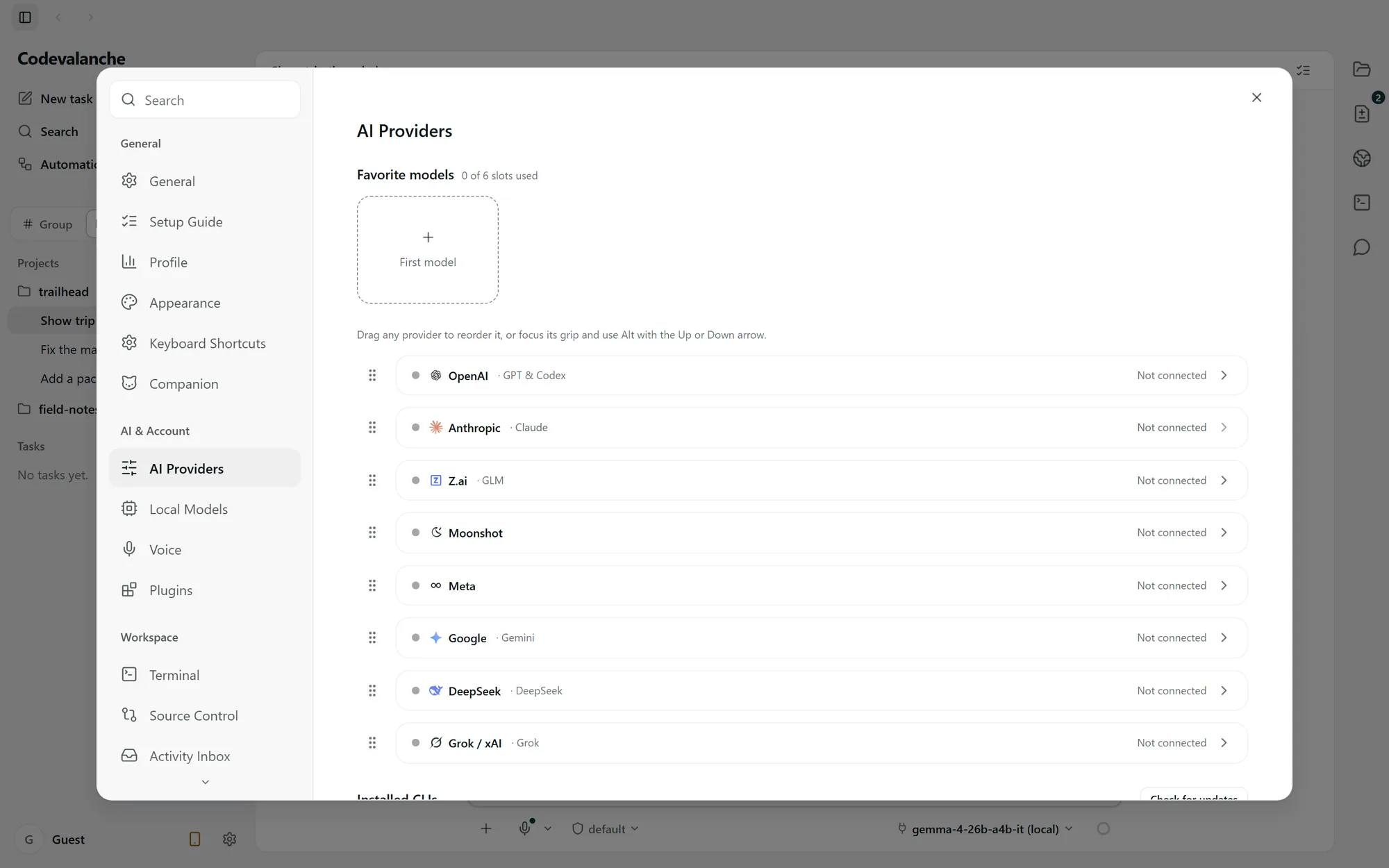
Coding agents and their requirements.
The implementation includes the following integrations. This describes source support; a public Windows installer must be separately qualified.
- Codex
- Bundled runtime in the inspected implementation. Connect your own account; separate account selection is supported.
- Claude Code
- Requires an external Claude Code installation. Connect your own account; separate account selection is supported.
- Gemini CLI
- Requires an external installation and the runtime’s own authentication. Account selection and tools are not assumed to match Codex or Claude Code.
- ZCode
- Requires an external installation and the runtime’s own authentication. Available tools and permission behavior depend on that runtime.
Your provider’s subscription, usage charges and limits still apply. Codevalanche does not combine provider quotas.
Connect an account, then choose it.
Set up Codex
Open AI Providers in Settings and choose the OpenAI connection for Codex. Complete the offered account sign-in, return to Codevalanche and check the connection status. Select that account for the task before sending the brief.
Set up Claude Code
Install Claude Code using its provider’s instructions, then open the Anthropic connection in AI Providers. Complete sign-in and check that Codevalanche detects the runtime and account. Choose the account and permission mode for the task.
If sign-in is unfinished or the runtime is missing, resolve that setup state before starting work. Follow the setup guidance for your installed build; provider authentication can change.
Multiple Claude Code and Codex accountsAPI connections and local models.
API providers
An API connection uses the configured endpoint and credentials. An API key does not by itself connect a subscription coding agent, and provider entries do not promise equivalent tools.
Local runtimes
Use the built-in local runtime, LM Studio or a compatible local OpenAI-style server when supported by the installed build. Model compatibility and machine resources affect what you can run.
Local AI in Codevalanche